
AI chatbots can explain a hard idea at midnight, quiz you before an exam and help you plan a project. They can also give you confident wrong answers, do the thinking you were supposed to do, and land you in trouble with your college. The difference is in how you use them. This is a practical guide for students who want the help without the harm.
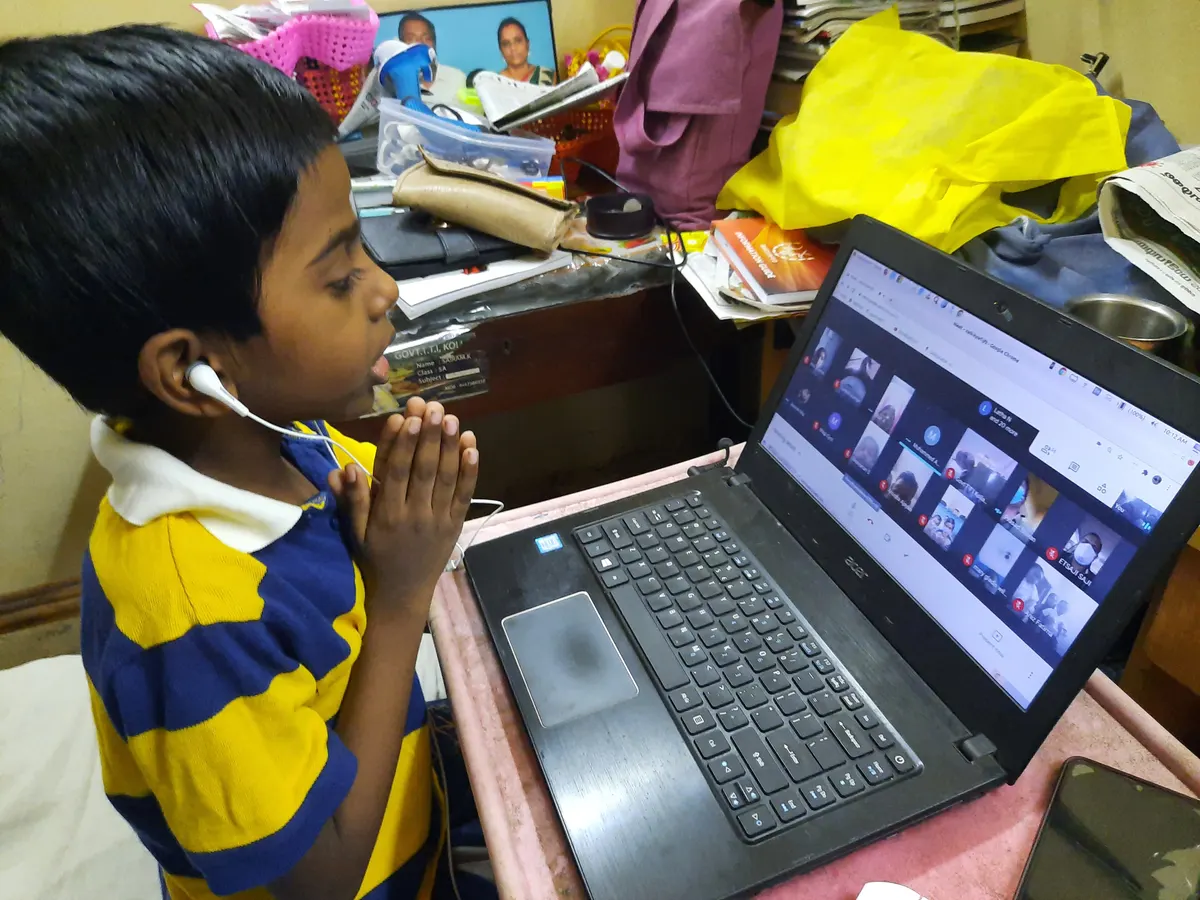
Tools such as ChatGPT, Gemini, Claude and Copilot are now part of student life in India, from PUC classrooms in Mysuru to engineering hostels in Bengaluru. Banning them rarely works, and pretending they do not exist helps nobody. A better question is: how do you use a chatbot so that you actually learn more, not less?
First, understand what a chatbot is (and is not)
A chatbot built on a large language model produces text by predicting what a good answer is likely to look like. It does not look things up in a textbook the way you would, and it does not know when it is wrong. That is why it can write a fluent paragraph with a made-up date, a wrong formula or a reference to a book that does not exist. People call this "hallucination".
The danger is greatest when you know least. If you already understand a topic, you will spot the mistake. If you are learning it for the first time, a confident wrong answer looks exactly like a right one. So treat a chatbot like a clever classmate who is sometimes sure of things they have got wrong: useful to talk to, never the final word.
The evidence: help in practice is not the same as learning
One of the clearest studies so far was a field experiment with nearly a thousand high-school maths students in Turkey, published in the journal PNAS in 2025 (Bastani and colleagues, PNAS). Students who used a standard chatbot during practice did 48% better on those practice problems than students without it. But when the chatbot was taken away and they sat an exam on the same material, they did 17% worse than the group that never had it.
A second group used a version of the chatbot set up as a tutor, designed to give hints rather than hand over answers. That group largely avoided the drop in exam scores. The study covers one subject in one school, so it is not the last word, and research in this area is still young. But the lesson is simple and matches common sense: if the chatbot does the work, you get the marks for the homework and lose the learning.
Good ways to use a chatbot for learning
The aim is to make the chatbot work like a patient tutor, not an answer machine. These uses tend to build understanding:
- Ask for an explanation, then explain it back. Ask it to explain photosynthesis, compound interest or Article 21 simply. Then close the chat and write your own explanation from memory. Paste it back and ask what you missed.
- Ask it to quiz you. "Ask me ten questions on the causes of the First World War, one at a time, and do not give the answer until I have tried." Testing yourself is one of the most reliable ways to remember things.
- Ask for hints, not solutions. For maths, physics or coding, say "Do not solve this. Give me one hint for the next step." You keep the struggle, which is where the learning happens.
- Ask for a different angle. If your textbook explanation is not landing, ask for an example from daily life, a comparison, or the same idea explained in Kannada or Hindi. Then check it against your textbook.
- Use it to plan, not to produce. Ask it to help you break a big assignment into steps or build a revision timetable for the weeks before your exams.
- Get feedback on your own draft. Write the essay yourself first, then ask where your argument is weak or unclear. Decide for yourself which suggestions to accept.
Uses that quietly hurt you
Some uses feel efficient but leave you worse off when it matters, in the exam hall, the interview or the job:
- Copying answers to homework or assignments. You lose the practice, and in most colleges it counts as academic misconduct if you present it as your own.
- Letting it summarise every chapter. Reading and making your own notes is slower, but that effort is what makes the material stick.
- Trusting it for facts you cannot check. Dates, statistics, legal sections, formulas, exam dates and fees all need to be confirmed on an official or textbook source.
- Using it for references. Chatbots are known to invent book titles, authors and journal articles. Never cite a source you have not found and opened yourself.

Check everything that matters
Build a habit: anything you will write in an exam, submit, or act on gets checked. A quick routine:
Step 1. Ask the chatbot where the information comes from. If it cannot point to a real source, treat the claim as unconfirmed.
Step 2. Check it against your textbook, your lecturer's notes, or an official site. For exams, scholarships and admissions, that means the official board, university or government website, not a chatbot's summary.
Step 3. If two sources disagree, ask your teacher. That conversation is often where real understanding happens.
Know your institution's rules, and be open about your use
Rules on AI differ between schools, boards, colleges and even individual teachers, and they are changing quickly. When UNESCO published its first global guidance on generative AI in education in September 2023, it reported that a global survey of over 450 schools and universities found fewer than 10% had institutional policies or formal guidance on these tools (UNESCO). Many institutions have written rules since then. IIT Delhi, for example, issued guidelines in 2025 asking that work produced with the help of AI tools be disclosed (Business Standard).
Your college may allow AI for brainstorming but not for writing, or allow it for language polishing but not for analysis. Read your course handbook or ask your teacher at the start of the term. If you used a chatbot, say how. Being honest about it is far better than being caught out later, and AI-detection tools are not always accurate, so a clear record of your own drafts and notes protects you too.
Protect your privacy
Whatever you type into a chatbot may be stored and, depending on the service and your settings, used to improve it. A few simple rules:
- Do not paste your Aadhaar number, phone number, address, passwords, bank details or exam hall ticket details.
- Do not share other people's personal information, photos or private messages.
- Look at the privacy and data settings of the tool you use, and check its age rules. UNESCO's guidance calls for data protection and privacy standards and sets an age limit of 13 for the use of AI tools in the classroom (UNESCO).

Keep your own voice and judgement
Chatbot writing has a recognisable sameness: smooth, general and a little empty. Teachers notice it, and so do interviewers and employers. Your own words, even when they are less polished, show what you actually think. The goal of education is not to produce text; it is to become someone who can think clearly, solve problems and explain ideas. A chatbot can support that, but it cannot do it for you.
It also helps to notice how you feel. If you reach for the chatbot the moment a question gets hard, try sitting with the problem for ten minutes first. That small discomfort is your brain doing its job.
A simple rule to carry with you
Before you use a chatbot for study, ask yourself one question: "Will this help me understand, or will it just help me finish?" If the answer is understand, go ahead and use it well. If the answer is finish, close the tab and do the work yourself, then use the chatbot to check and improve it.
Teachers and parents can help by talking openly with students about these tools rather than treating them as forbidden. If you work in a government school or college, our Yuva Yathre team runs workshops for students on personal effectiveness, health and social responsibility across Karnataka.
Comments